
Ad Inserter
94Manage Google AdSense ads, banners, ad rotation, sticky widgets, AMP ads, ads.txt, tracking, header and footer...
Free
300k+ installs 4.9★ (2,428)
Scroll less in WordPress admin area! A small UX improvement will keep Publish button within reach and retain the scrollbar position after saving.
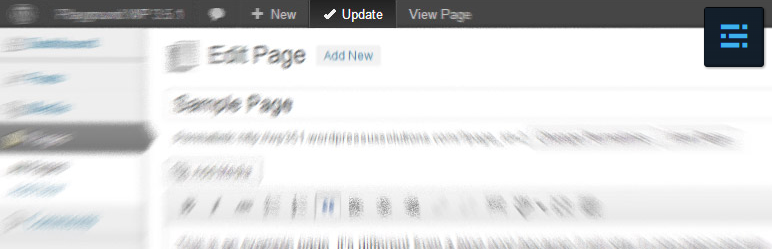
Toolbar Publish Button is a WordPress plugin that enhances the admin experience by adding a duplicate of the Update, Publish, Save Changes, Save Draft, and Preview Changes buttons to the top admin bar. This allows you to access these functions without scrolling back and forth on the admin page. The plugin is particularly useful for users who frequently edit posts, pages, custom posts, and settings in WordPress.
The plugin integrates with Advanced Custom Fields and can maintain the scrollbar position after saving changes. You can customize which buttons appear in the admin bar, their position, and their background colour, making it a flexible tool for managing content efficiently.
Best for: This plugin suits WordPress users who frequently edit content and want quicker access to save functions.
What it does well
Where it falls short
Toolbar Publish Button offers a practical solution for improving workflow in the WordPress admin area. It is a straightforward tool for those looking to streamline their editing process.
webbistro's own description of Toolbar Publish Button, lightly tidied.
Too often it turns out very inconvenient to scroll WordPress admin page back and forth in the quest for the big blue button to save latest changes.
Simple jQuery script of this plugin duplicates Update / Publish / Save Changes / Save Draft / Preview Changes button for posts, pages, custom posts, taxonomies, user profiles, and settings to the top WordPress admin bar, so that it stays on site while you are scrolling your admin page. The plugin options allow to keep the scrollbar position after saving.
The plugin is well-integrated with the Advanced Custom Fields, and capable to leave open ACF field groups after saving your edits.
The plugin does not affect any native WordPress functionality, it just redirects your click to the original button, and uses the current button text, of course, with the current language.
Other plugins for custom content structures.
Manage Google AdSense ads, banners, ad rotation, sticky widgets, AMP ads, ads.txt, tracking, header and footer...

ACF helps customize WordPress with powerful, professional and intuitive fields. Proudly powering over 2 millio...

Checkout Field Editor (Checkout Manager) for WooCommerce – The best WooCommerce checkout manager plugin to man...

Easily reorder posts, pages, custom post types, and taxonomies with intuitive drag-and-drop sorting in the Wor...

The #1 user-rated activity log plugin for event logging, activity monitoring and change tracking.

Admin UI for creating custom content types like post types and taxonomies