
The #1 user-rated activity log plugin for event logging, activity monitoring and change tracking.
Free
300k+ installs 4.7★ (488)
Monitor all activities and error logs of your WordPress site with UptimeMonster. Effortlessly simplify website management.

UptimeMonster Site Monitor is a WordPress plugin designed to track and analyse activities on your website. It integrates with the UptimeMonster web application to monitor uptime, downtime, security, and other essential functions, operating continuously to identify issues before they affect users. The plugin provides detailed reports on various activities, including post changes, user actions, and error logs.
You can manage plugins, themes, and core updates from a single dashboard, and the plugin logs PHP errors for easy viewing. Additionally, it offers a health check feature that evaluates performance and security, categorising issues and providing recommendations for improvements.
Best for: This plugin suits website administrators looking for detailed monitoring and management of their WordPress sites.
What it does well
Where it falls short
UptimeMonster Site Monitor offers a range of monitoring and management features for WordPress sites. However, the directory score suggests that users should consider their specific needs before using it.
UptimeMonster's own description of UptimeMonster Site Monitor, lightly tidied.
Track and analyze all activities on your WordPress website with the powerful and flexible UptimeMonster Site Monitor plugin.
This plugin integrates seamlessly with UptimeMonster, an external web application that monitors your website’s uptime, downtime, security, and other essential functions.
UptimeMonster Site Monitor operates 24/7, allowing you to identify and address issues before they impact users globally.
Activate the plugin with and connect with the dashboard and monitor every aspect of your WordPress website.
Choose from different monitoring interval mode, and receive a detailed report in a centralized dashboard for all of your websites.
Explore detailed information about any action by anyone on your WordPress site through the activity log.
Monitor post changes, user actions, plugin and theme activation/deactivation, WordPress cron jobs, etc.
Manage your WordPress website’s plugin and theme from a single dashboard, check installed versions, available updates, etc.
including mu-plugins and drop-ins.
This plugin will log and report php errors for your WordPress site. You will be able to view the error easily without having
to log into your server via ssh/ftp. This plugin will try to capture as much data as possible for the error, including error
message, error severity, file and line number, timestamp, WordPress version, user details (if any user loggedin) etc.
Receive a detailed report on your WordPress site’s health and performance, including security reports.
UptimeMonster performs examinations to detect errors, issues, and custom checks by plugins and themes.
The Site Health Status feature evaluates performance and security aspects, categorizing issues and recommendations into three layers:
The plugin also reports website activity date and time, user details, and source IP addresses.
No setup is required; simply add the API key to connect the plugin.
Other plugins for monitoring a site.
The #1 user-rated activity log plugin for event logging, activity monitoring and change tracking.
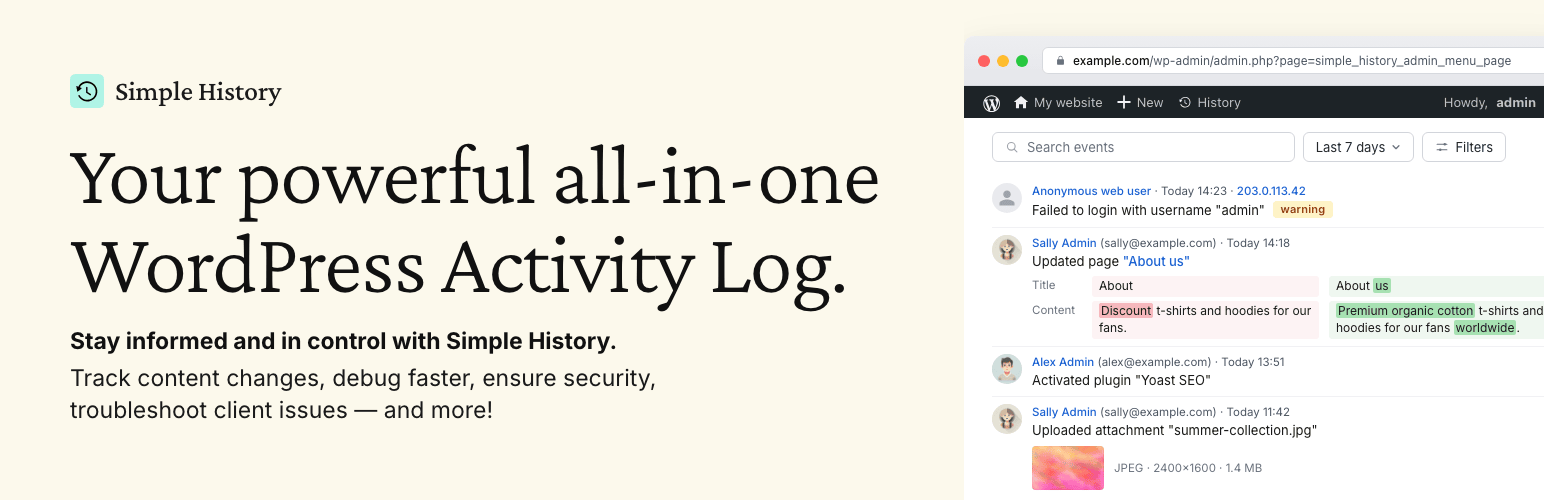
Track changes and user activities on your WordPress site. See who created a page, uploaded an attachment, and...

Manage 301 & 302 redirects. Simple redirection & redirects validation. Includes redirect stats & 4...

WordPress security plugin with malware scanner, IP blocking, audit logs, antivirus scans, firewall, 2FA, brute...

Redirect manager for 301, 302 and 307 redirection. Monitor and fix 404 errors, log every broken link and prote...

Everything you need to sell WordPress maintenance and manage multiple sites effortlessly: backup, update, upti...