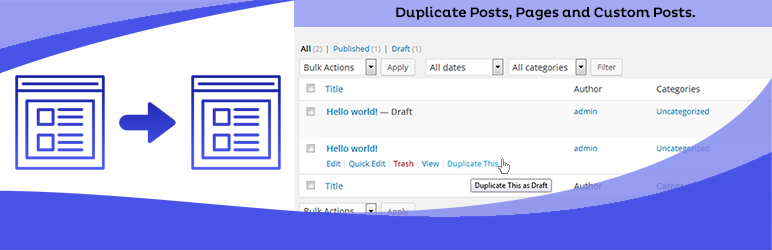
Duplicate Posts, Pages and Custom Posts easily using single click
Free
3M+ installs 4.8★ (465)
Create unlimited sidebars for pages/posts easily without writing a single line of code!

WP Custom Sidebars is a WordPress plugin that allows you to create unlimited custom sidebars for your pages, posts, and taxonomies without requiring coding skills. It enables you to override existing sidebar positions on your site and works with any WordPress theme.
The plugin supports various post types, categories, tags, and custom taxonomies, making it suitable for users who want to tailor their sidebar content. It also offers features like transferable sidebar data and is translation ready.
Best for: This plugin is suitable for WordPress users who want to customise sidebar content on their sites.
What it does well
Where it falls short
WP Custom Sidebars offers useful functionality for creating custom sidebars, but its age and directory score may raise concerns for some users.
mnmlthms's own description of WP Custom Sidebars, lightly tidied.
If you are looking for a plugin that help you to create unlimited sidebars for pages/posts/taxonomies… without coding skills, WP Custom Sidebars is what you’re looking for!.
Easily overriding sidebar positions on your site, no integration needed. Works with any WordPress theme.
Features:
Note that if you are using other custom sidebar plugins, you should disable them so WP Custom Sidebars won’t be confused on overriding sidebars 😀
How to use WP Custom Sidebars?
That’s it!
Other plugins for dating sites.
Duplicate Posts, Pages and Custom Posts easily using single click

HappyAddons packs Header Footer Builder, Megamenu, Single Post, Archive Page, & 500+ Ready Templates into...

Site metrics and social media analytics for Instagram, Facebook, YouTube, LinkedIn, X Twitter. The single best...

Disable admin notices and hide dashboard notifications from plugins, themes and core. Hide all notices, select...

Password protect WordPress pages and posts by user roles or with multiple passwords; protect your entire websi...
SAML SSO (Single Sign On) for WordPress Login with Okta, Entra ID/Azure AD, GSuite, Salesforce & All SAML...