
Easy to use Under Construction Page & Coming Soon Page. Enable Under Construction Mode in seconds & sh...
Free
600k+ installs 4.8★ (1,285)
Connect Google Analytics to WordPress in a few clicks. Track key WooCommerce & WordPress events with a GA4 dashboard built into wp-admin.
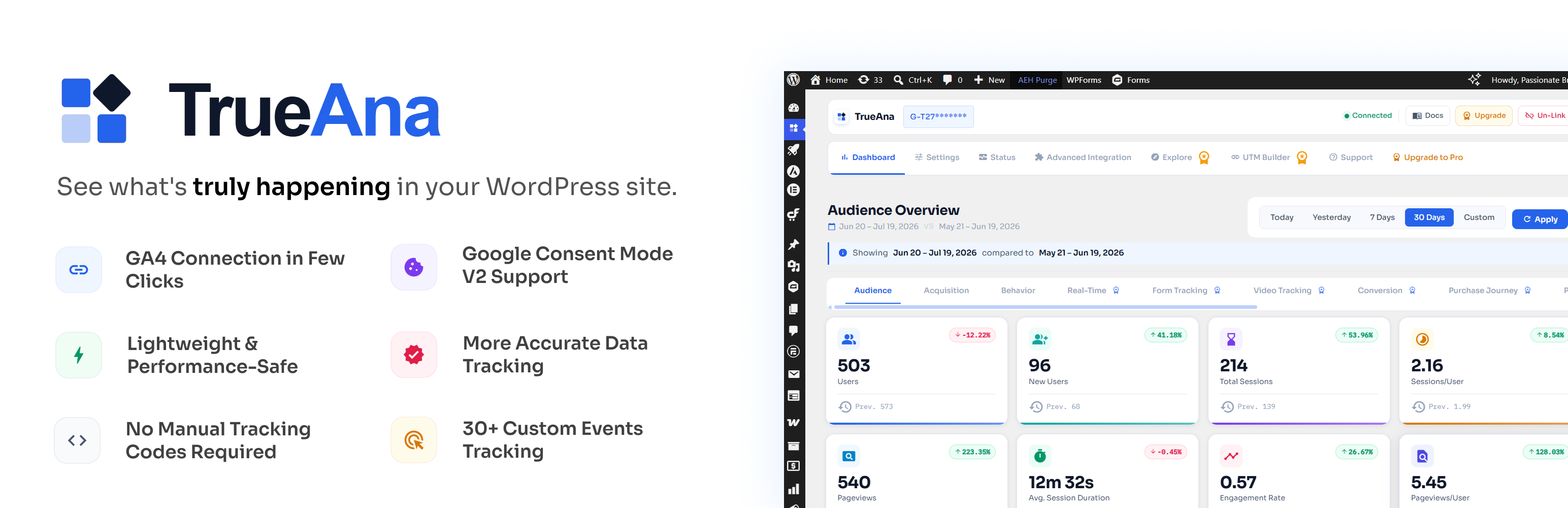
TrueAna is a WordPress plugin that integrates Google Analytics 4 with your WordPress and WooCommerce site. It simplifies the process of tracking website and store performance by automatically firing over 35 events without the need for additional configuration or Google Tag Manager.
The plugin is suitable for various users, including content creators, WooCommerce store owners, and agencies. It provides real-time analytics data directly in the WordPress admin dashboard, allowing users to monitor key metrics without switching between different platforms.
Best for: This plugin is ideal for WordPress site owners and WooCommerce store operators seeking to streamline their analytics tracking.
What it does well
Where it falls short
TrueAna offers a straightforward solution for integrating Google Analytics 4 with WordPress, making it easier for users to access and understand their site performance data.
Passionate Brains's own description of TrueAna, lightly tidied.
Google Analytics 4 wasn’t built with WordPress or WooCommerce in mind.
Getting real store and website data into GA4 usually means wiring up Google Tag Manager, hand-coding dataLayer pushes for every events, and then leaving your WordPress dashboard entirely just to check how everything performing.
That’s the gap TrueAna closes.
TrueAna connects your site to Google Analytics 4 with a single OAuth sign-in, fires 35+ WordPress & WooCommerce events automatically with zero configuration, and puts real GA4 report data — the same numbers you’d see in analytics.google.com — directly inside your WordPress admin.
No Tag Manager. No custom dataLayer code. No switching tabs to check how your website is doing.
Who’s it for?
* Content sites & bloggers — get audience, acquisition, and behavior reports plus GA4 dashboard widgets right on the WordPress home screen, no separate login required.
* WooCommerce store owners — see product views, cart abandonment, checkout drop-off, and revenue by traffic source without leaving wp-admin, and fire Facebook, Google Ads, TikTok(Pro), and Pinterest pixels(Pro) off the same events.
* Agencies & freelancers — connect a client’s GA4 property once and hand them a dashboard they can actually read, instead of teaching them the GA4 interface.
* Subscription businesses — track the full WooCommerce Subscriptions lifecycle (renewals, plan switches, churn) as GA4 events, and watch MRR and churn rate in a dedicated dashboard (Pro).
* Publishers with multiple authors — see which authors, categories, tags, and post types actually drive pageviews with Content Analytics Reports, instead of digging through GA4’s generic page-path view (Pro).
* Lead-gen & SaaS sites — track form views and submissions per form, with conversion rate against the previous period, so you know which forms are actually producing leads (Pro).
* Marketers running landing pages — track clicks on any link or button site-wide, from CTA buttons to outbound links, without touching Tag Manager (Pro).
* Startups & early-stage founders — get straight to traffic source, channel, and acquisition data from day one to see what’s working, without setting up GA4 Explorations or waiting on an analyst.
* Video-driven sites & course creators — see plays, completion rate, and average watch depth per video across YouTube, Vimeo, and HTML5 embeds, so you know which videos actually hold attention (Pro).
* Ad-funded content sites — pull Google AdSense revenue and ad clicks by page title into the same dashboard as your traffic data, instead of cross-referencing two separate logins (Pro).
* Paid traffic managers — build and track UTM campaign links from inside wp-admin, then watch performance roll up in Acquisition Reports without a separate spreadsheet (Pro).
* Multi-site consultants & in-house teams — save custom GA4 Explore-style reports as pinned dashboard tabs and reorder them per site, so recurring client or stakeholder reviews take minutes, not a rebuild each time (Pro).
TrueAna talks to Google’s APIs on your behalf using OAuth 2.0. After you connect your Google account, the plugin uses your access token to:
gtag.js snippet, and server-side via the GA4 Measurement Protocol when an API secret is configured.No Analytics data passes through a third-party proxy server. Every Google Analytics Data API call goes directly from your WordPress site to Google.
GA4 Connection
Other plugins for measuring traffic.
Easy to use Under Construction Page & Coming Soon Page. Enable Under Construction Mode in seconds & sh...

Manage Google AdSense ads, banners, ad rotation, sticky widgets, AMP ads, ads.txt, tracking, header and footer...

The best free Google Analytics plugin for WordPress. See how visitors find and use your website so you can gro...

Great looking maintenance, coming soon & under construction pages. Put your site under maintenance in minu...

Easily add tracking code snippets, conversion pixels, or other scripts required by third party services for an...

Adds Google Analytics tracking code to your WordPress site. Supports many tracking features.