
FluentCRM
91The easiest and fastest Email Marketing, Newsletter, Marketing Automation Plugin & CRM Solution for WordPr...
Free
80k+ installs 4.8★ (249)
Automatically send Gravity Form entries to a Microsoft Teams channel.
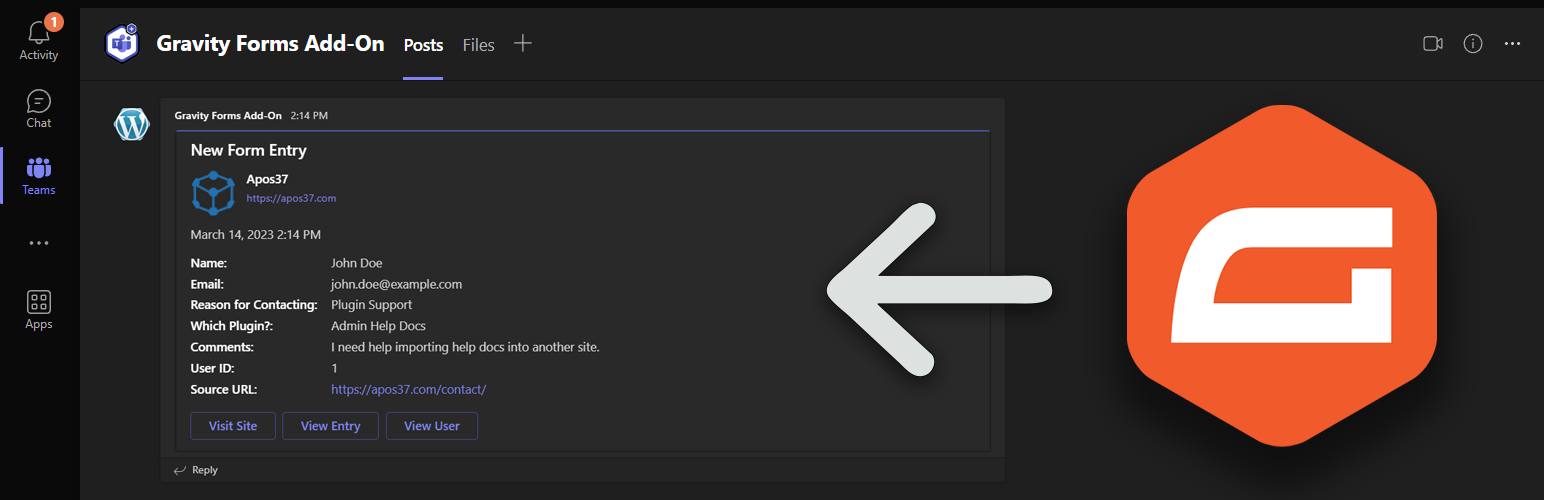
The 'Add-On for Microsoft Teams and Gravity Forms' is a WordPress plugin that integrates Gravity Forms with Microsoft Teams. It allows you to automatically send form submissions to a Microsoft Teams channel, map form fields to message cards, and trigger notifications based on form responses.
This plugin is suitable for businesses that use Microsoft Teams for communication, developers looking to streamline form data, and site owners who want to centralize form submissions and team discussions. It can be particularly beneficial for those with unreliable email systems.
Best for: This plugin suits businesses and developers using Microsoft Teams for team communication and workflow automation.
What it does well
Where it falls short
The plugin provides a straightforward integration between Gravity Forms and Microsoft Teams, making it a useful tool for enhancing team productivity. However, users should be prepared for initial setup requirements.
PluginRx's own description of Add-On for Microsoft Teams and Gravity Forms, lightly tidied.
The “Add-On for Microsoft Teams and Gravity Forms” WordPress plugin is a powerful integration tool that connects your website’s forms with Microsoft Teams, a popular communication and collaboration platform. This plugin bridges the gap between Gravity Forms, a leading form builder plugin, and Microsoft Teams, enabling seamless communication and workflow automation.
With this add-on, you can:
This plugin is ideal for:
By integrating Gravity Forms and Microsoft Teams, this add-on simplifies communication, boosts team productivity, and enhances user experience! It’s a perfect solution for anyone looking to supercharge their team’s workflow and responsiveness!
** IMPORTANT 1.2.0 UPDATE ** If you installed the plugin prior to v1.1.0, you would have had to set up an Incoming Webhook app on MS Teams. If you still have it set up this way, you will need to remove the Incoming Webhook app on Teams and use a Workflow instead. See new instructions under the plugin settings.
Other plugins for automating workflows.
The easiest and fastest Email Marketing, Newsletter, Marketing Automation Plugin & CRM Solution for WordPr...

Clean database by deleting orphaned data such as 'revisions', 'expired transients', optimi...

Free email automation, email campaigns, exit intent popup builder, gamified popups with spin the wheel, contac...

Send beautiful newsletters from WordPress. Collect subscribers with signup forms, automate your emails for Woo...

Experience the power of automation within WordPress: Connect 1,500+ apps, automate manual tasks, and unlock yo...

Newsletters, Email Marketing, Email Automation, Forms, Pop Up, SMS by Omnisend