
Ad Inserter
94Manage Google AdSense ads, banners, ad rotation, sticky widgets, AMP ads, ads.txt, tracking, header and footer...
Free
300k+ installs 4.9★ (2,428)
Leave notes on any WordPress admin pages. Pin them to specific elements, collaborate, and document actions and guidance inside the dashboard.
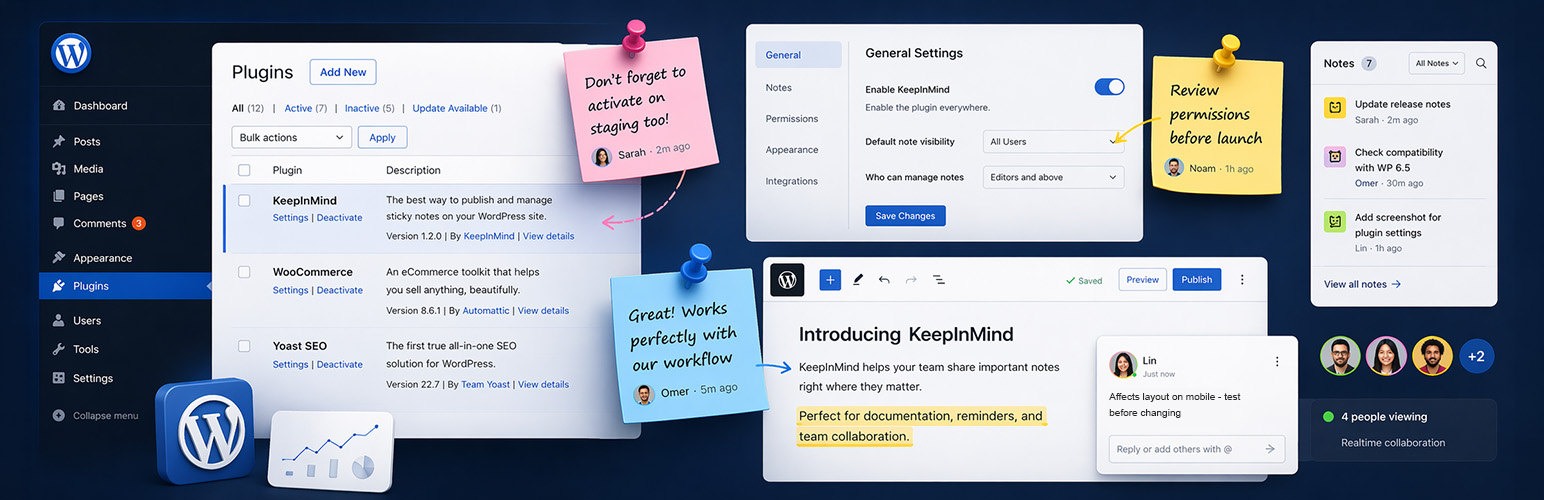
KeepInMind Dashboard Notes is a WordPress plugin designed to enhance collaboration within the WordPress admin dashboard. It allows users to pin notes to specific dashboard elements, making it easier to track decisions and communicate with team members directly in context. This is particularly useful for teams managing a site or individuals who want to keep a record of important information for future reference.
The plugin features rich text editing, multiple note types, and the ability to mention teammates. Users can create pinned, open, or sticky notes, and can also mark notes as private. This functionality helps ensure that important reminders and discussions are easily accessible and organized within the dashboard.
Best for: This plugin suits teams and individuals looking to improve communication and documentation within the WordPress admin interface.
What it does well
Where it falls short
KeepInMind Dashboard Notes provides a practical solution for enhancing collaboration in WordPress. Its features are straightforward and tailored for effective note-taking within the dashboard.
Elchanan Levavi's own description of KeepInMind Dashboard Notes, lightly tidied.
KeepInMind Dashboard Notes turns your WordPress dashboard into a collaborative workspace. Place notes directly on any admin page – anchored to the exact element you’re talking about. No more Slack messages, emails, or random chats saying “that field on the product edit page” – just click, write your note, and your team sees it right where it matters.
Whether you’re working in a team or managing a site on your own, the same problem keeps coming up: how to keep track of decisions in the dashboard. Which settings need to change? What does this custom field do? Why is this item configured this way?
KeepInMind Dashboard Notes solves this by letting you pin notes directly to dashboard elements – for your team, or for your future self.
Here are just a few real-world scenarios where it shines:
Pin Notes Anywhere
Click any element on any admin page to leave a note. Your note stays anchored to that exact element – a form field, a menu item, a settings toggle, a table row. When your teammate visits the page, they see the note marker right where it belongs.
Rich Text Editing
Format your notes with bold text, links, and text colors. The floating toolbar appears on text selection.
Three Note Types:
@Mention Teammates
Type @ to mention any allowed user. They’ll receive an email notification with your note. Autocomplete helps you find the right person fast – just keep typing to filter.
Private notes
Mark any note as private so only you can see it. Perfect for personal reminders and work-in-progress notes.
Threaded Replies
Pinned notes support full threaded replies. Keep conversations organized and contextual without cluttering the page.
Drag & Relocate
Notes can be dragged to a new element if the page layout changes. Grab the drag grip and drop it on the right spot – all replies move with it.
Note Scoping
On entity pages (posts, terms, users), choose whether your note applies to this specific item or all items of this type. For example, a note on the “Blue T-Shirt” edit page can be scoped just to that product – or to the edit page of all products.
Other plugins for custom content structures.
Manage Google AdSense ads, banners, ad rotation, sticky widgets, AMP ads, ads.txt, tracking, header and footer...

ACF helps customize WordPress with powerful, professional and intuitive fields. Proudly powering over 2 millio...

Checkout Field Editor (Checkout Manager) for WooCommerce – The best WooCommerce checkout manager plugin to man...

Easily reorder posts, pages, custom post types, and taxonomies with intuitive drag-and-drop sorting in the Wor...

The #1 user-rated activity log plugin for event logging, activity monitoring and change tracking.

Admin UI for creating custom content types like post types and taxonomies