
Wiki Page Links
[[Wiki Page Links]] is a WordPress plug-in that allows you to add Wikipedia-style hyperlinks to your posts and pages and automatically have them link …

The facts
- Rating
- 5★ from 5
- Active installs
- 30+
- Price
- Free
- Last updated
- 21 Mar 2020
- Added
- Dec 2008
- Requires WP
- 3.0
- Tested up to
- WP 5.3.23
- Downloads
- 7,580
Our analysis
AI-assistedWiki Page Links is a WordPress plugin that enables you to create Wikipedia-style hyperlinks within your posts and pages. By using specific syntax, you can link to both your own WordPress pages and external sites like Wikipedia. This functionality is particularly useful for users who want to enhance their content with relevant links without extensive coding knowledge.
The plugin allows for easy linking through a simple format, and it includes features like pipe aliasing for links and the ability to prompt users to create new pages if they do not exist. This plugin is suitable for bloggers and content creators looking to improve their site’s navigation and reference capabilities.
Best for: This plugin suits bloggers and content creators who want to enhance their posts with easy linking options.
What it does well
- ✓Allows Wikipedia-style hyperlinks in posts and pages
- ✓Links to both WordPress pages and external sites
- ✓Includes pipe aliasing for link formatting
- ✓Prompts users to create new pages if they don't exist
Where it falls short
- •Limited features; admin panel for shortcuts not yet implemented
- •Last updated in March 2020, may not be actively maintained
Verdict
Wiki Page Links offers a straightforward way to add hyperlinks in WordPress, but its limited features and lack of recent updates may be a concern for some users.
From the developer
Darcy Casselman's own description of Wiki Page Links, lightly tidied.
[[Wiki Page Links]] is a WordPress plug-in that allows you to add Wikipedia-style hyperlinks to your posts and pages and automatically have them link to your WordPress pages.
For example, if you write this code in your blog:
See my [[About]] page.
You’d see this output:
See my About page.
Other Features
- You can provide a list of link templates for adding links to other sites, such as Wikipedia. Eg. if you specify [[wiki:Hyperlinks]], you get a link to the corresponding Wikipedia page.
- Wikipedia-style pipe (|) aliasing.
- If a page doesn’t exist and the user is logged in, you’ll see a link (“[?]”) to create a new page.
Features TODO:
- Add an admin panel for adding new shortcut link templates.
Tagged as
industry
Knowledge Base & Documentation
topic
Add
Alternatives
Other plugins for documentation and knowledge bases.

BetterDocs
87Documentation, FAQ & Knowledge Base plugin to create docs, FAQs, product FAQ, wikis & help center with...
Free
30k+ installs 4.8★ (511)

A fully featured, easy-to-use documentation plugin with AI chat, search, FAQs, and quizzes. Build beautiful kn...
Free
10k+ installs 4.9★ (123)

Use this service plugin to easily activate any of our products, open a support ticket and view documentation a...
Free
10k+ installs 5★ (3)
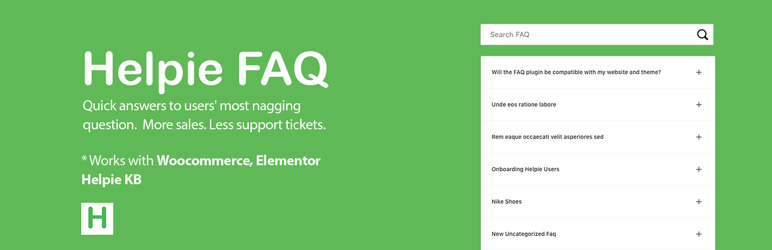
Helpie FAQ
83Accordion , FAQ & Docs builder with Drag and Drop features. Helpie Accordion FAQ plugin works with Helpie...
Free
9k+ installs 4.5★ (80)

WordPress polls plugin with multiple-choice, custom answers, cache compatibility, widgets, and shortcodes. Doc...
Free
7k+ installs 4.6★ (86)