
Easy to use Under Construction Page & Coming Soon Page. Enable Under Construction Mode in seconds & sh...
Free
600k+ installs 4.8★ (1,285)
Privacy-friendly and lightweight Google Analytics alternative for WordPress sites. No cookies, just insights.
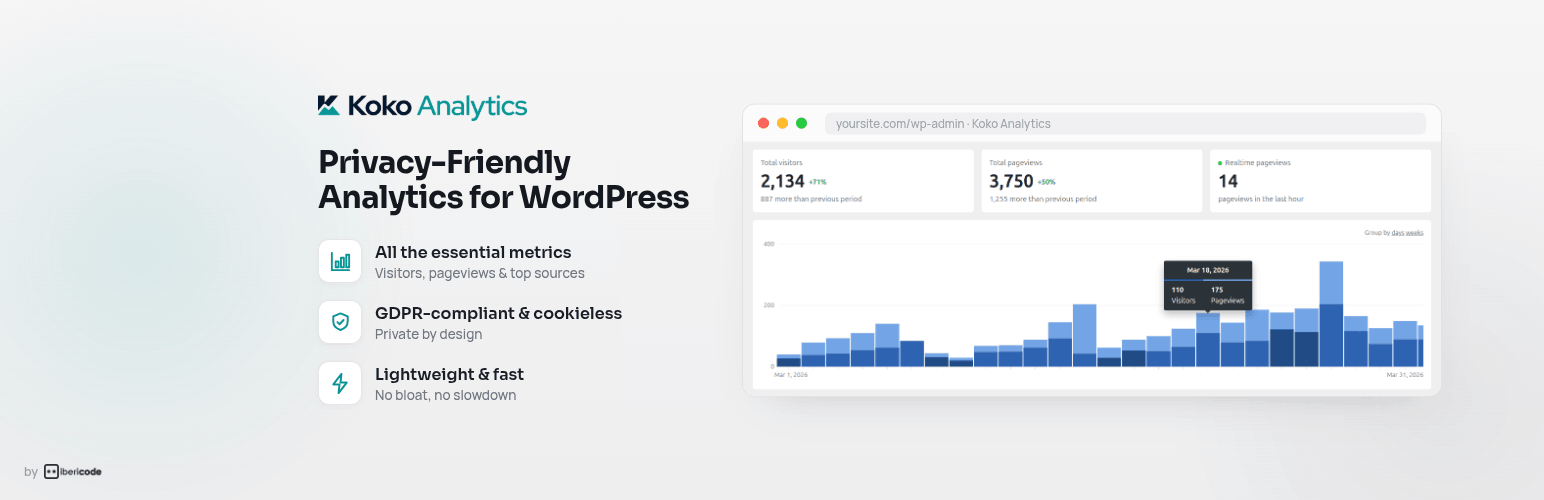
Koko Analytics is a privacy-friendly analytics plugin for WordPress that provides insights into website visitors without using cookies or third-party services. It is designed to be lightweight and easy to use, displaying important metrics directly in the WordPress admin dashboard.
This plugin is suitable for users who require GDPR-compliant analytics and prefer a straightforward approach to tracking website performance. It includes features like returning visitor detection, referrer statistics, and the ability to exclude certain user roles or IP addresses from tracking.
Best for: This plugin suits WordPress site owners looking for a simple, privacy-focused analytics solution.
What it does well
Where it falls short
Koko Analytics offers a straightforward way to track website visitors while ensuring privacy compliance. It is a suitable choice for those who want essential analytics without the complexities of traditional tools.
Danny van Kooten's own description of Koko Analytics, lightly tidied.
Koko Analytics is a privacy-friendly and lightweight Google Analytics alternative for WordPress sites. It is a plug and play solution to get GDPR compliant insights into your website visitors without requiring any third-party services.
Koko Analytics provides you with simple and effective analytics. There are no complicated reports to dig through. All the important metrics are visible from a quick glance at your analytics dashboard, right inside your WordPress admin.
Koko Analytics is a privacy-friendly solution for WordPress. It can be used without any cookies, no personal data is processed or stored and nothing is shared with any third-party. That makes it suitable for GDPR, CCPA, and PECR-compliant website statistics.
Koko Analytics is lightweight. It adds less than 1 kilobyte of data to your pages and is fully compatible with all kinds of caching setups. WordPress is bypassed entirely for its collection endpoint, making the impact on your site’s performance as close to zero as possible.
Koko Analytics is open source released under the GPL license, just like WordPress itself. The source code is publicly available. Everyone has the right to run, study, share or modify the source code.
Koko Analytics Pro adds more reporting options for sites that need deeper analytics.
Other plugins for measuring traffic.
Easy to use Under Construction Page & Coming Soon Page. Enable Under Construction Mode in seconds & sh...

Manage Google AdSense ads, banners, ad rotation, sticky widgets, AMP ads, ads.txt, tracking, header and footer...

The best free Google Analytics plugin for WordPress. See how visitors find and use your website so you can gro...

Great looking maintenance, coming soon & under construction pages. Put your site under maintenance in minu...

Easily add tracking code snippets, conversion pixels, or other scripts required by third party services for an...

Adds Google Analytics tracking code to your WordPress site. Supports many tracking features.